Sales Pipeline
The Lead Pipeline is a board with a column for each stage of your sales process. Move a lead's card along it as the job gets closer, and the totals at the top tell you what is in play.
Applies to: the Professional plan and above. Requires the crm:pipeline:view permission to appear in the sidebar. On a lower plan the page shows an upgrade prompt instead of the board.
Prerequisites: Managing Leads
Opening the board
Go to Sales > Lead Pipeline. Each column is a stage, coloured by the stage colour, with the lead count and the total estimated value of the leads in it.
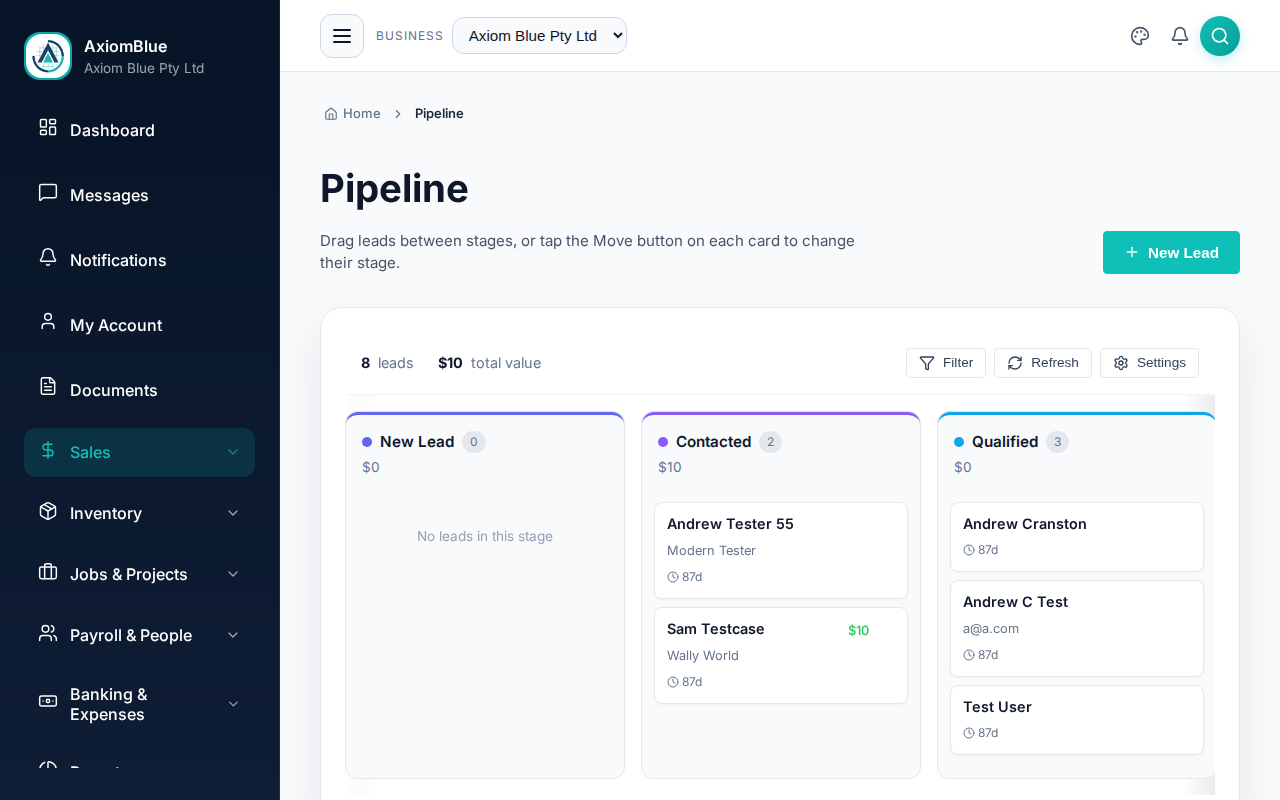
Above the columns you get:
- The count of leads on the board and their total value.
- Filter — limits the board to leads created in the last month, three months, six months or year.
- Refresh and Settings.
- New Lead, in the page header, which opens the same form as All Leads.
What a card shows
- The lead's name, and their company underneath it.
- The estimated value, when one is set.
- Who the lead is assigned to.
- A Move button.
Select a card to open the lead.
Moving a lead to another stage
Drag the card into the column you want. On a touch screen, or with a keyboard, use the Move button on the card and pick the destination stage from the list. With a card focused, pressing M opens the same list.
Moving a lead into a stage you have marked as Won or Lost asks you to confirm first, and offers a box for Won Notes or a Lost Reason. Both are optional, and both are worth filling in — the lost reasons are what make CRM Reports tell you something you did not already know.
Changing the stages
Select Settings to open Pipeline Settings.
- Select Add Stage, pick a colour, type a name and select Add.
- Rename a stage, or change its colour, by editing it in the list.
- Reorder stages by dragging them, or with the up arrow on each row — leads run left to right along the board.
- Tick Won or Lost on the stages that close a deal. These drive the win-rate figures and the confirmation prompt.
- Use the delete icon to remove a stage you do not need.
- Select Save Changes.
Under Display Preferences, Hide Won/Lost leads from last 6 months keeps recently closed leads off the board without deleting them.
Defaults resets the whole stage list back to the standard pipeline. It asks you to confirm first.
What you should see
After a move, the card sits in its new column and both columns' counts and values update straight away. AxiomBlue also records the move against the lead, with who made it and when.
Tip: keep the board honest. A lead that has not moved in a month is either a follow-up you owe someone or a Lost you have not admitted to.